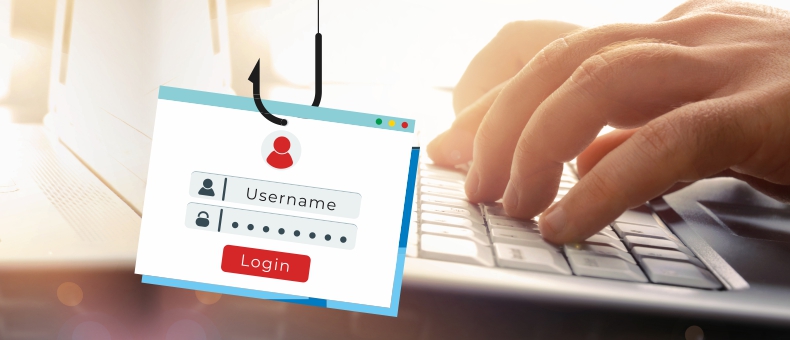

Beware of Phishing Attacks: The Power of Strong Passwords and Smarter Online Browsing Habits


Table of Content
In a world that’s becoming increasingly digital, our confidential data and information are often just a few clicks away from cybercriminals. While socialising online and banking online brings convenience, it also opens the door to potential threats such as phishing attacks, data breaches, and cyber financial fraud.
Phishing is becoming increasingly sophisticated every day, utilising new scam emails or fake SMS messages. What was once riddled with spelling errors and poor grammar now appears as professional communication from trusted institutions.
But don’t worry. Using a mix of cybersecurity awareness and smart habits such as password security best practices, you can protect yourself and your loved ones. Let’s break it all down.
What are phishing attacks?
Phishing attacks are deceptive tactics used by cybercriminals to trick you into revealing sensitive information, like your bank login credentials, OTPs, debit or credit card numbers, or even Aadhaar or PAN details. These attacks typically come in the form of emails or texts pretending to be from legitimate companies.
Clicking on a malicious link or entering your details on a fake website can give attackers access to your financial accounts.
Why should you care?
You should care about it because failing for one fake message can cost you your hard-earned money.
Once a scammer gains access, they can drain your savings, misuse your data, or even commit identity theft. Protecting against phishing attacks is no longer optional—it's essential for secure online transactions and digital banking.
Phishing attacks can also happen over voice calls (called "vishing") and SMS ("smishing"). A common trick is to call you on the phone and pretend to be a bank representative and tell you of a "problem with your bank account"— and then ask for your banking details.
If someone claims that they are an official representative from the bank and asks for personal details on a call, disconnect the call - hang up immediately. Then call the official bank’s customer care number to verify the facts.
Common signs of a phishing attack
Want to master phishing attack protection? Start by recognising the signs:
● Urgent messages asking you to "verify your account" or "update your KYC"
● Emails with attachments or links claiming you’ve won a lottery
● Fake websites that look exactly like your bank’s official page
● SMS or calls pretending to be from the Bank, asking for OTPs or card information such as CVV, expiry date, PIN, etc.
Pro tip: Always check the sender’s email address and hover over links before clicking. Better yet—don’t click if it feels and appears to be suspicious.
Always type in the bank’s official website address directly in your web browser. Before entering any details, click the padlock icon in the address bar to make sure the site is secure and belongs to the bank.
The power of strong passwords
Your first line of defense? A strong password.
Weak passwords like "123456" or "password123" are child’s play for hackers. You wouldn’t leave your house unlocked—don’t leave your bank account vulnerable.
Here are some password security best practices:
● Use a mix of uppercase, lowercase, numbers, and special characters
● Avoid using personal info like your birth date or your name
● Never reuse the same password across platforms
● Update your passwords every 3–6 months
● Use a trusted password manager to safely store your passwords
Don’t share OTPs, ever.
This deserves its section: NEVER share your OTP with anyone. Not your friends, not "bank officials", not even someone claiming to be from the bank’s customer care. Your OTP is the key to your account. Keep it private, always.
Online transaction security: Dos & Don'ts
Here’s a quick guide for online transaction security:
Dos:
● Use official apps and websites (look for HTTPS at the beginning of the website path or link)
● Enable two-factor authentication (2FA) for your accounts
● Log out of banking sessions immediately after use
● Set transaction alerts both SMS and email, to stay informed of your banking and related activities
Don’ts:
● Avoid public Wi-Fi for financial transactions
● Avoid clicking on pop-ups or ads claiming discounts from "banks"
● Avoid saving card information on unfamiliar websites
● Never share your CVV, card PIN, or mobile banking password with anyone
How does DCB Bank help you stay secure?
DCB Bank prioritises your safety and provides the tools to ensure your secure online transactions. Here's how:
● Encrypted digital banking platforms
● Real-time alerts for every transaction – please update your mobile number
● Instant card blocking in case of suspicious activity
● Dedicated customer support team to guide you in case of fraud
What to do if you suspect cyber fraud
If you think you’ve been targeted or have shared sensitive information mistakenly, act fast. Every second counts.
Report Immediately:
● Call the National Cyber Crime Helpline at 1930
● You can contact the National Cyber Crime helpline at https://cybercrime.gov.in/
● Contact DCB Customer Care at 022-6899 7777, 040-6815 7777.
Quick action can help stop a transaction before it's processed and might help you recover your money.
Create awareness amongst your family, friends and neighbors!
A big part of phishing attack protection is awareness. Make sure your parents, siblings, and friends know the risks. Elderly people and teens are especially vulnerable.
Teach them:
● How to spot a fake email or SMS
● Do not click on links or download attachments from unknown senders
● To verify any call claiming to be from a bank before sharing details
Also, have this quick checklist in mind always to avoid uncertainty in the future:
● Strong password → Check
● OTP never shared → Check
● Banking only via official apps → Check
● Phishing awareness → Always on
When you’re empowered with knowledge, you're one step ahead of scammers.
Summary: Stay Alert, Stay Safe
With phishing scams becoming more sophisticated by the day, staying protected is a non-negotiable part of your digital lifestyle. Always remember to use strong, unique passwords and don’t click on suspicious links or download unknown attachments. Never share OTPs or personal banking information, and be proactive in reporting cyber financial fraud. Use the bank’s official platforms, like net banking or a mobile banking app, for transactions. Last but not least, keep educating yourself and your loved ones about cybersecurity.
Stay Cyber Safe, Stay Secure!
Disclaimer
Information on the website is for informational purposes only and does not constitute financial advice. Readers are advised to consult financial professionals for personalized advice before making decisions. The information on this blog is subject to change without notice and may become obsolete. DCB Bank reserves the right to modify, update, or remove content at any time. Savings Account and Fixed Deposit Interest rates are subject to change without prior notice. DCB Bank shall not be responsible for any direct / indirect loss or liability incurred by the reader for taking any financial decision based on the contents and information mentioned in this blog. By accessing and using this blog, users agree to adhere to these terms and conditions. To read the complete disclaimer of DCB Bank, please click here














DCB Customer Care


Follow us on


Download DCB Mobile Banking App